



For OSI and business →
A smart city on your phone
Open the entrance door, take video calls from the intercom and watch your building’s cameras in one app.
A call from the intercom, a video call and opening the doorScreenshot from the app
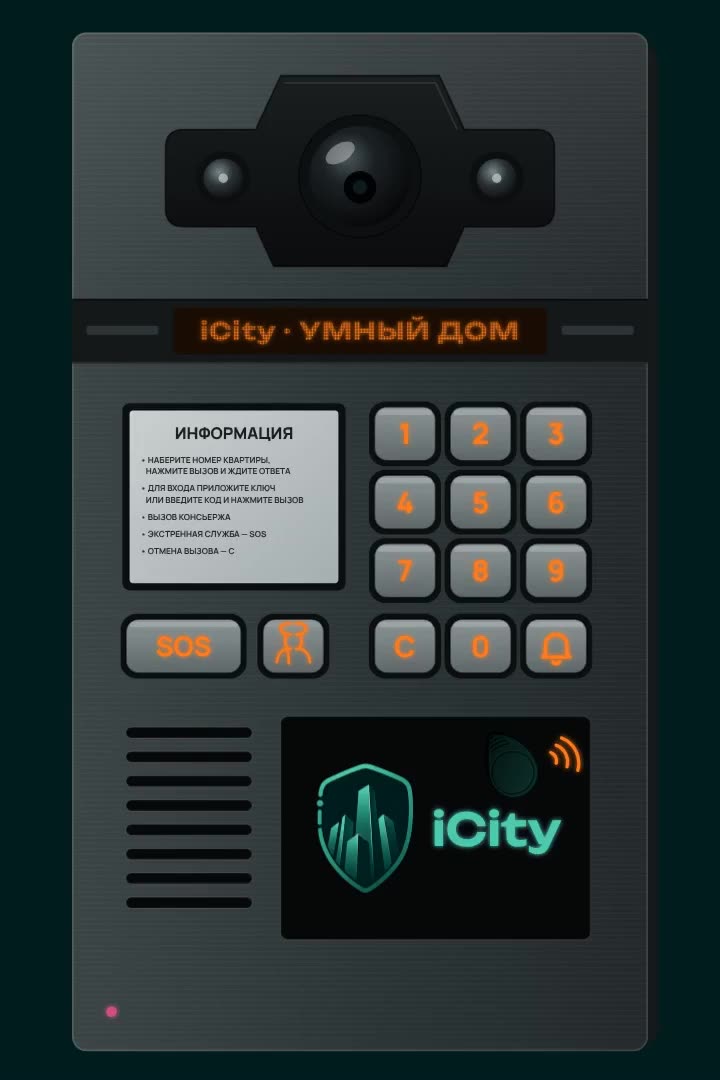
Video call: answer and open

What the app can do
Intercom and video callA call from the door panel comes to your phone — you see who is at the door and can open it.See who is at the door and open it.
Learn more →
Cameras and archiveLive view of your building’s cameras and a 72-hour archive.Live view and a 72-hour archive.
Learn more →
Codes and guest linksA door code or a link for a guest or courier — no key needed.For guests and couriers — no key.
Learn more →
Barrier gateDrive into the yard from the app, no remote needed.Into the yard without a remote.
Learn more →
Building chat and noticesNews from the OSI and chatting with neighbours in one place.OSI news and neighbours close by.
Learn more →
My homeOSI payments and the flat’s personal account.OSI payments and personal account.
Learn more →
Open with one tap
The big “Open” button comes first on the screen. No need to look for a key or remember a code.The “Open” button comes first on the screen. Your doors and barrier are one tap away, and the widget opens the door from your phone’s home screen.
Quick access
Your doors and barrier — right on the home screen.
Widget
Open the door from your phone’s home screen without launching the app.
How to get started
- 1Download the appFrom Google Play or the App Store.
- 2Sign up with your numberYou’ll get a confirmation code.
- 3Add your intercomWith the registration code from your OSI — or get it from your flat admin.
No iCity in your building yet?
Send your OSI a ready-made message for the building chat — it includes a link to the request form.Send your OSI a ready-made message for the building chat.
Questions and answers
Where do I get a registration code?
Your building’s OSI or management company issues the code. You can also get it from your flat admin.
How long is camera footage kept?
72 hours.
How do I let in a guest or courier?
With a guest link or a temporary code.
Is there an iPhone app?
Coming soon to the App Store.
How do I delete my account?
See the “Account deletion” page in the site footer.